Master the Gang Sheet Process
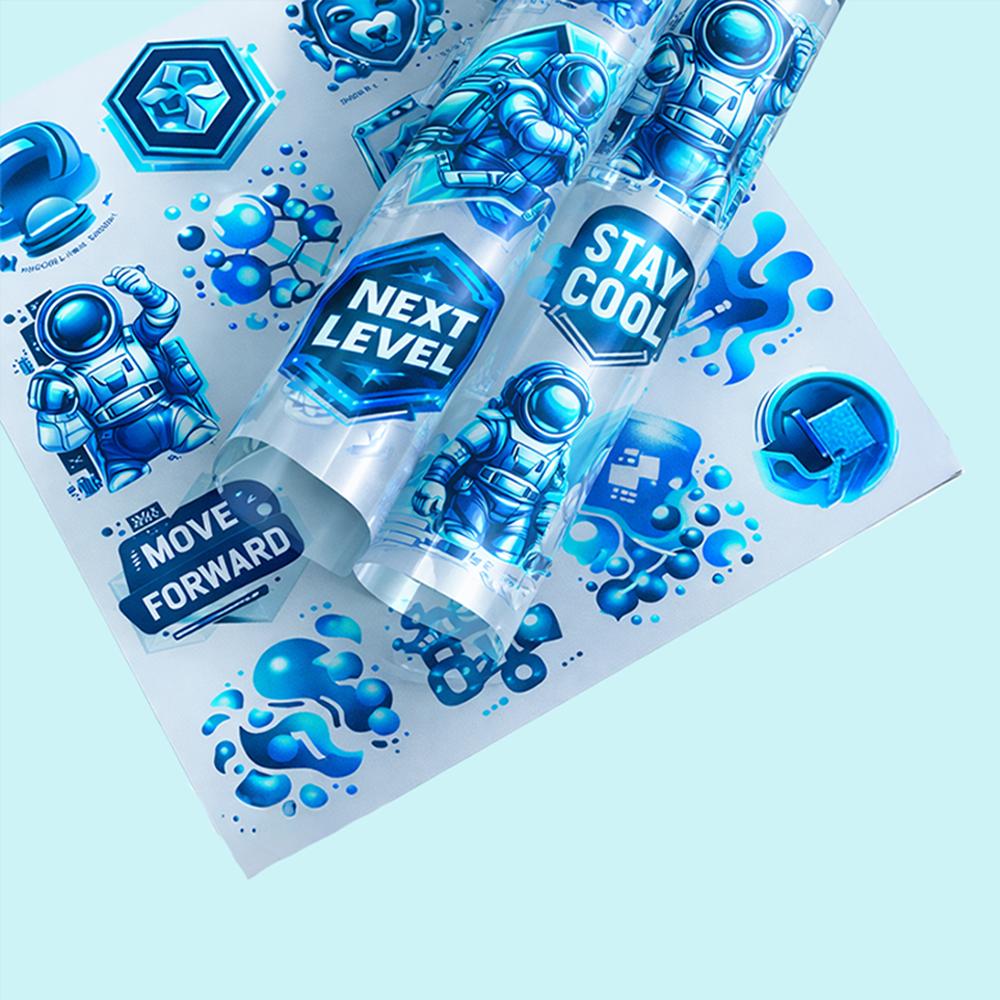
Efficiency is the primary goal for every modern custom apparel business. To achieve this, you must learn how to build a gang sheet effectively. A gang sheet is a single layout that contains multiple designs, logos, or text elements on one roll of film. Instead of printing individual transfers, you combine them to save time and money. This method is the standard for Direct-to-Film (DTF) printing in 2026. By mastering this process, you can reduce material waste and increase your daily output. This guide will walk you through the essential steps to create a professional and cost-effective layout.
Understanding the Gang Sheet Concept
The term "ganging" comes from the traditional printing industry. It refers to grouping several different projects into a single print run. In the DTF world, this means placing multiple graphics onto a film that is usually 22 to 24 inches wide. You can mix different sizes, colors, and designs on the same sheet. The printer processes the entire roll at once, which is much faster than loading separate files. This approach allows you to fulfill several customer orders simultaneously. It is the most logical way to scale your production without increasing your workload.
Choosing the Right Design Software
To build a gang sheet, you need reliable graphic design software. Adobe Illustrator and Photoshop are the most popular professional choices. They offer precise control over artboard sizes and image resolution. For those looking for simpler options, many online DTF suppliers offer built-in "Gang Sheet Builders." These web-based tools allow you to drag and drop your files onto a virtual canvas. Whether you use professional software or an online tool, the goal is the same. You need a platform that can handle high-resolution files and transparent backgrounds without losing quality.
Setting Up Your Workspace Dimensions
The first step in creating your sheet is setting the correct dimensions. You must match the width of your document to the width of the film used by your supplier. Common widths include 12 inches, 17 inches, and 24 inches. The length of the sheet can vary depending on how many designs you need to print. Some gang sheets can be as short as 12 inches or as long as several yards. Always check with your print provider for their maximum roll length. Setting the correct artboard size from the start prevents scaling issues later in the process.
Preparing High-Resolution Artwork
Quality is determined by the resolution of your source files. Every image you place on your gang sheet should be at least 300 DPI. Lower resolutions will result in pixelated edges and blurry details on the final garment. Use transparent PNG files or vector formats like AI and SVG. Ensure there are no stray pixels or "hidden" backgrounds around your logos. These small errors can show up as unwanted white spots during the DTF powdering process. Clean artwork is the foundation of a sharp, professional-looking transfer that customers will love.
Strategically Placing Your Designs
When you build a gang sheet, the layout is everything. Start by placing your largest designs first to establish the main structure. Then, fill the remaining "white space" with smaller items like neck labels or pocket logos. This "Tetris-style" organization ensures that you are using every possible inch of the film. Leave a small gap of at least 0.5 inches between each design. This space is necessary so you can easily cut the transfers apart with scissors or a rotary cutter. Strategic placement maximizes your investment and reduces your cost per print.
Managing Colors and Transparency
DTF printing is unique because it uses a white ink base for all designs. This means you can print vibrant colors on any fabric, regardless of the shirt's darkness. When building your sheet, avoid using "glow" or "drop shadow" effects that fade into transparency. These effects often result in a "grainy" appearance during the DTF process. Stick to solid edges or well-defined gradients for the best results. Also, ensure that your colors are set to the CMYK color mode. This ensures that the colors you see on your monitor closely match the final ink output.
Avoiding Common Layout Mistakes
Many beginners make the mistake of crowding their designs too closely together. While you want to save space, leaving no room for cutting can lead to ruined transfers. Another common error is forgetting to mirror the designs. However, most modern DTF software handles the mirroring automatically. You should check with your supplier to see if you need to flip your artwork before uploading. Finally, always double-check the "bounding boxes" of your images. If a box overlaps another design, it might interfere with the printing of the white ink layer.
Saving and Exporting Your File
Once your layout is complete, you must export it in the correct format. Most professional DTF shops require a single, high-resolution PNG file with a transparent background. Ensure the file size is not too large for the supplier's upload limit. If your sheet is very long, you may need to save it as a high-quality PDF. Label your file clearly with the dimensions, such as "24x60_Gang_Sheet_Final." Proper file naming helps the print shop process your order more quickly. Taking the time to export correctly ensures a smooth "Upload & Print" experience.
Testing and Quality Assurance
Before you commit to a 10-meter roll, consider printing a small test sheet. This allows you to check the color accuracy and the "hand-feel" of the prints. Wash test your samples to ensure the adhesive powder is bonding correctly. In the world of custom apparel, consistency is the key to building a loyal customer base. If you notice any issues with fine lines or small text, adjust your design before ordering in bulk. Quality assurance at the gang sheet stage saves you from wasting expensive garments later.
The Financial Benefits of Ganging
From a business perspective, the gang sheet is a powerful financial tool. Most suppliers charge significantly less per square inch when you order in bulk rolls. For example, a single 10-inch transfer might cost five dollars, but twenty of them on a gang sheet might cost only two dollars each. This increased margin allows you to offer more competitive pricing to your clients. It also gives you the flexibility to include "bonus" items like branded neck labels at almost no extra cost. Efficiency in the layout translates directly into higher profits for your brand.
Conclusion: Elevate Your Production
In conclusion, learning how to build a gang sheet is an essential skill for any modern printer. It turns the complex task of multi-design printing into a streamlined, efficient process. By focusing on high resolution, strategic placement, and correct formatting, you ensure professional results every time. Whether you are a small hobbyist or a growing apparel brand, gang sheets are the key to success. They allow you to scale your business while maintaining the highest quality standards. Start building your next layout today and experience the power of optimized DTF printing.