News How To Make A DTF Gang Sheet

How To Make A DTF Gang Sheet

By DTF PRINT HOUSE | July 19, 2025
How To Make A DTF Gang Sheet

How To Make A DTF Gang Sheet: A Complete Guide to Apparel Brilliance

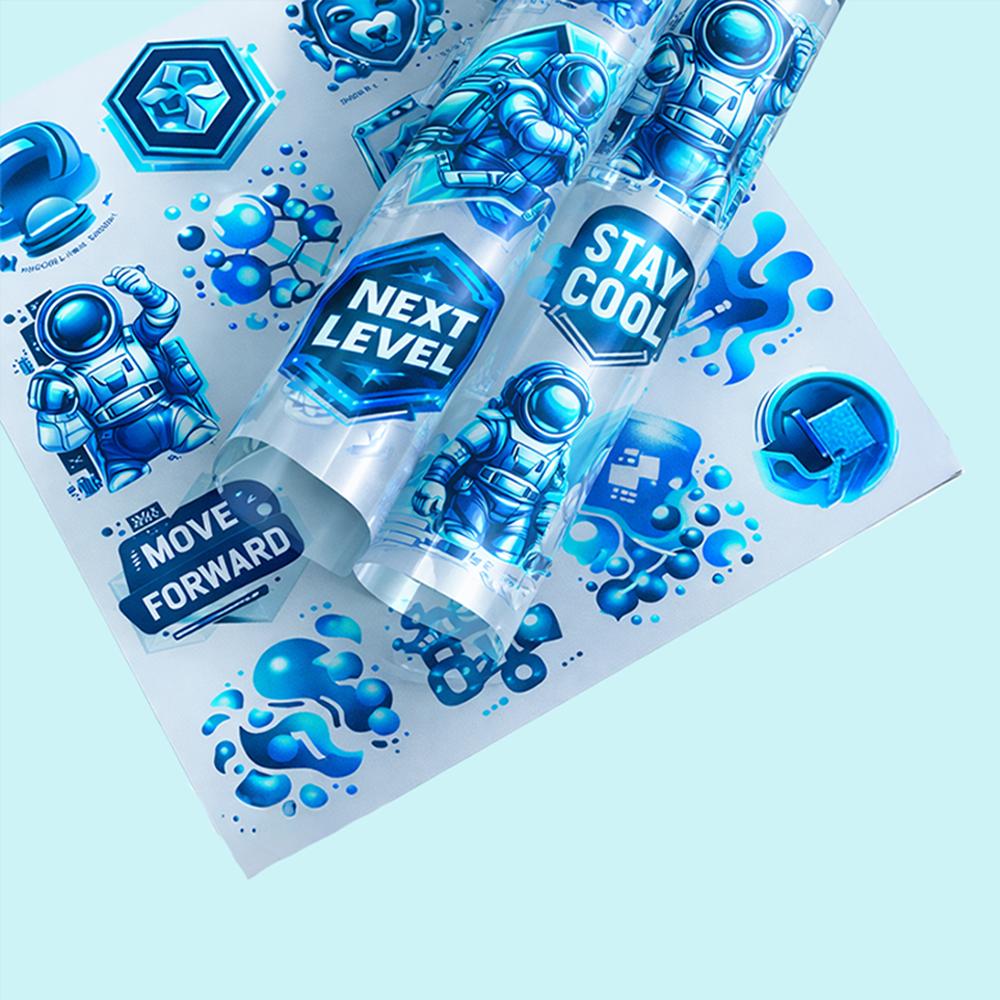
Learning how to make a DTF gang sheet is the single most important skill for a custom apparel business in 2026. A gang sheet allows you to print multiple designs on a single roll of film. This process maximizes your space and minimizes your costs.

In the world of "apparel brilliance," efficiency is everything. By mastering the gang sheet layout, you can offer faster turnaround times and better pricing. This guide will walk you through the technical steps and best practices for creating a professional-grade layout.


1. What is a DTF Gang Sheet?

A gang sheet is a digital file that contains various logos, graphics, and text arranged on one large sheet. Instead of printing one shirt at a time, you print dozens at once.

  • Cost Effective: You pay for the film by the linear foot, not by the design.

  • Time Saving: Press multiple small items (like neck labels) in one production run.

  • Versatility: You can mix different colors, sizes, and clients on the same roll.

  • Eco-Friendly: Reduces the amount of film and ink waste in your shop.


2. Preparing Your Digital Artwork

Before you start your layout, your individual files must be perfect. Low-quality art will result in a low-quality transfer.

  • Format: Use transparent PNG or PDF files.

  • Resolution: Ensure all graphics are 300 DPI. Low-resolution images will look blurry.

  • Backgrounds: Remove all white backgrounds unless the white is part of the design.

  • Line Weight: Keep lines at least 0.02 inches thick so the adhesive powder can stick.

  • Color Space: Design in CMYK to ensure the colors on your screen match the final print.


3. Choosing the Right Software

In 2026, you have several options for building your layout. The "best place to buy" often provides a Free DTF Gang Sheet Builder directly on their website.

  • Web-Based Builders: These allow you to drag and drop files onto a virtual roll.

  • Adobe Illustrator: The industry standard for vector-based precision.

  • Photoshop: Excellent for high-resolution photo designs and complex gradients.

  • Canva: A great choice for beginners, provided you export at high resolution.


4. Step-by-Step: How to Build Your Layout

Follow these steps to create a high-performance gang sheet:

  1. Set Your Canvas Size: Set the width to 22 or 24 inches (standard for industrial printers).

  2. Determine Length: Decide how many linear feet you need (e.g., 2ft, 5ft, or 10ft).

  3. Import Designs: Bring in your logos and scale them to the correct size.

  4. Nest Your Graphics: Place smaller designs in the empty spaces around larger ones.

  5. Leave a Margin: Keep designs at least 0.25 inches away from the edges of the film.

  6. Avoid Overlapping: Ensure no two designs are touching, or they will fuse together.


5. Essential Sizing for Your Gang Sheet

Organizing your custom DTF transfers by size helps you stay organized during the heat press stage.

  • Adult Back Prints: Usually 10" to 12" wide.

  • Pocket/Chest Logos: Standardized at 3.5" to 4" wide.

  • Sleeve Brandings: Long and narrow, typically 2" x 10".

  • Internal Neck Labels: Small and efficient at 2" x 2".

  • Hat/Cap Logos: Compact designs around 2.5" wide.


6. Technical Requirements for 4-Head Printing

If you are using a high-end P604 24" 4-Head DTF Printer, your gang sheet needs to handle high-speed production.

  • Ink Density: Professional builders ensure the white ink backing is perfectly aligned.

  • Curing Consistency: Proper spacing allows for even melting of the adhesive powder.

  • Tracking: Leave enough "tail" (empty film) at the start and end of your roll for the printer to grip.

  • Hydraulic Press Ready: Group items that require the same heat settings together for faster pressing.


7. Common Mistakes to Avoid

Even experienced pros make these errors when learning how to make a DTF gang sheet.

  • Mirrored Files: Most modern DTF software mirrors the file automatically. Do not mirror it yourself unless instructed.

  • Hidden Pixels: Tiny stray pixels can cause "ink spots" on your film. Always clean your edges.

  • Low Contrast: Ensure your colors stand out, especially when printing on dark garments.

  • Over-Crowding: Leaving too little space makes it difficult to cut the individual transfers apart.


8. Maintenance and Care for Your Transfers

Once your gang sheet is printed, you must handle it with care to maintain "apparel brilliance."

  • Storage: Keep rolls in a cool, dry place. Avoid direct sunlight.

  • Handling: Wear gloves to prevent oils from your skin from touching the film.

  • Cleaning: If you print your own, use DTF Head Care Solution to keep your machine ready for the next sheet.

  • Long-Term Care: Educate your customers to wash garments inside out in cold water.


Conclusion: Mastering the Art of the Gang Sheet

Creating a gang sheet is the ultimate way to scale your custom apparel business. It provides the "fast DTF transfers" that modern customers demand while keeping your overhead low. By using professional builders and high-resolution art, you ensure every garment reflects true quality.

Start by organizing your custom DTF transfers by size and nesting them for maximum efficiency. Use a hydraulic head moving heat press for the final application to guarantee industrial durability. With these steps, you are ready to produce high-end streetwear and corporate gear that stands out in 2026.