What Are DTF Transfers? Complete Guide for Beginners
DTF transfers are ready-to-press printed designs used to decorate T-shirts, hoodies, tote bags, uniforms, workwear, and many other fabric products. The letters DTF stand for Direct to Film, which describes a printing method in which artwork is printed onto a coated transfer film before being applied to a garment with a heat press.
DTF printing has become a practical option for small clothing brands, print shops, Etsy sellers, schools, sports teams, event organizers, and people starting a custom apparel business. It supports colorful artwork, detailed logos, text, gradients, and designs that would be difficult to produce with traditional cut vinyl.
This beginner’s guide explains what DTF transfers are, how they are produced, how to apply them, which garments they work on, and how to choose between individual transfers and DTF gang sheets.
What Does DTF Transfer Mean?
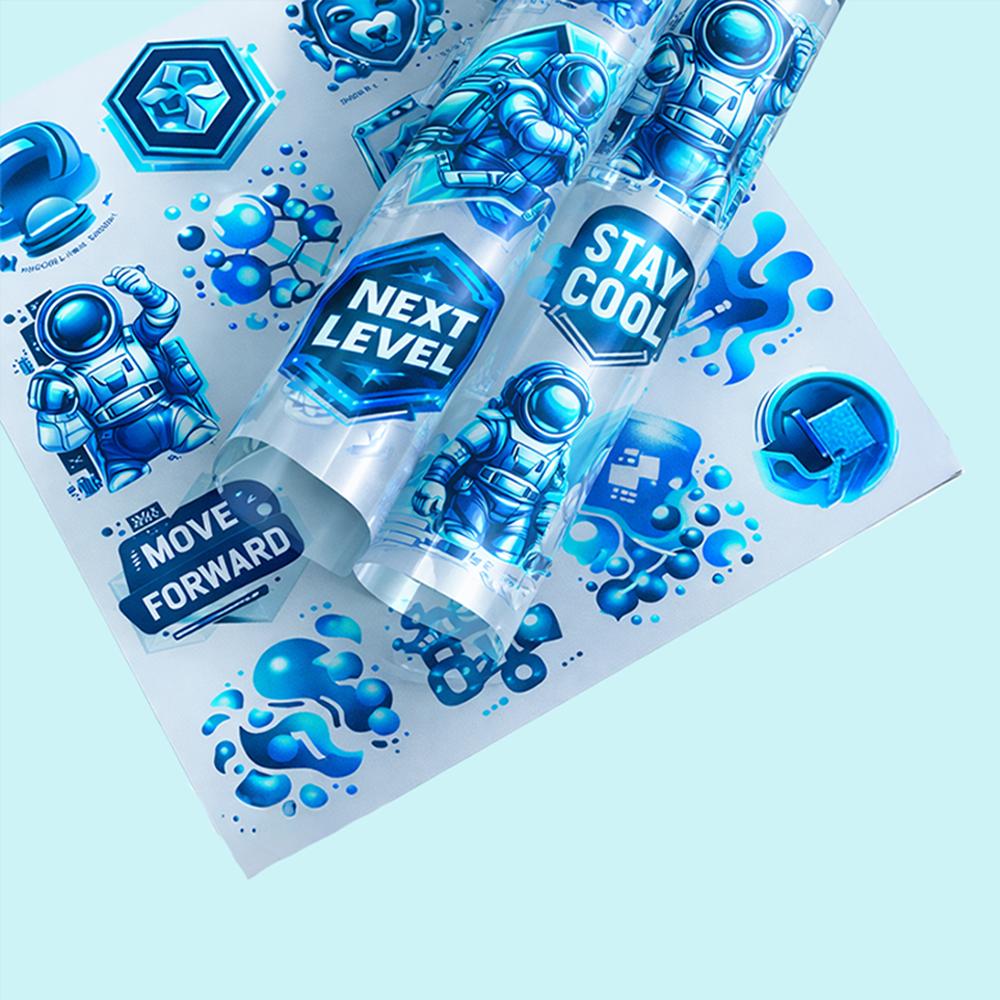
A DTF transfer is a design printed onto a special PET transfer film with water-based pigment inks. The printed artwork usually includes a white ink layer that helps the colors remain visible when the design is applied to dark or colored garments.
After printing, hot-melt adhesive powder is applied to the wet ink. The powder is then cured so that it bonds with the printed design. The finished transfer can be placed on a garment and applied using heat, time, and pressure.
Unlike direct-to-garment printing, the artwork is not printed directly onto the shirt. It is first printed onto film and then transferred to the fabric. A general overview of the technology is also available in the Direct-to-film printing article on Wikipedia .
How Are DTF Transfers Made?
Professional DTF production involves several connected stages. The quality of the final transfer depends on how consistently each stage is completed.
1. Artwork Preparation
The process begins with a print-ready design. Artwork should normally have a transparent background and enough resolution to remain sharp at the intended print size.
Logos, text, illustrations, photographs, gradients, and multicolor graphics can all be prepared for DTF printing. Fine details should be checked carefully because very thin lines and tiny text may not transfer as cleanly as larger design elements.
2. Printing Onto DTF Film
The design is printed onto coated DTF film. CMYK inks create the visible colors, while white ink is normally printed as an underbase behind the colored artwork.
This white layer helps maintain brightness and opacity, especially when the design is transferred onto black, navy, red, or other dark-colored garments.
3. Applying Adhesive Powder
A hot-melt adhesive powder is applied while the ink is still wet. The powder attaches to the printed areas and should be removed from the unprinted sections of the film.
Even powder coverage is important because insufficient adhesive may cause weak edges, lifting, or incomplete bonding after pressing.
4. Curing the Transfer
The powdered film is heated until the adhesive melts and forms a stable layer. Professional print shops may use a curing oven, powder shaker and dryer, or another controlled curing system.
After curing, the design becomes a ready-to-press DTF transfer that can be stored, shipped, or applied to a garment.
5. Heat Press Application
The finished transfer is positioned on the garment and pressed using the recommended temperature, time, and pressure. Depending on the transfer film, the carrier may be peeled immediately, while warm, or after cooling.
What Are the Benefits of DTF Transfers?
Full-Color Printing
DTF transfers can reproduce multicolor artwork without requiring a separate vinyl layer or screen for every color. This makes the process suitable for detailed illustrations, logos, photographs, gradients, and colorful brand graphics.
Works on Light and Dark Garments
The white ink underbase helps DTF designs remain visible on both light and dark fabrics. A colorful design can therefore be applied to white, black, navy, red, gray, and many other garment colors.
No Manual Weeding
Heat transfer vinyl usually requires unwanted vinyl to be removed manually from around the design. This process is known as weeding.
Ready-to-press DTF transfers do not require manual weeding. The complete printed design is transferred from the carrier film to the garment, helping save time on artwork with small details or multiple colors.
Suitable for Small and Large Orders
DTF transfers can be ordered for one custom shirt, repeat business uniforms, team apparel, event merchandise, or larger production runs. This flexibility makes them useful for businesses that do not want to maintain large inventories of preprinted garments.
Ready-to-Press Convenience
Customers who order professionally printed transfers do not need to own a DTF printer, white ink system, powder machine, or curing oven. They only need suitable garments, a heat press, and the correct application instructions.
What Materials Can DTF Transfers Be Applied To?
DTF transfers are commonly used on a wide range of garment materials, including:
- Cotton T-shirts and hoodies
- Polyester garments
- Cotton-polyester blends
- Canvas tote bags
- Workwear and uniforms
- Sweatshirts and jackets
- Team and school apparel
- Selected performance fabrics
Fabric behavior can vary, especially with heat-sensitive polyester, coated materials, waterproof garments, or fabrics that are prone to dye migration. Testing is recommended before completing a large production order.
DTF Transfers by Size: Best for Individual Designs
DTF transfers by size are a convenient option when you need one design printed at a specific width or height. Instead of building an entire sheet, you upload the artwork, select the required size, and order the desired quantity.
This format works well for:
- Left-chest business logos
- Full-front T-shirt designs
- Large back prints
- Sleeve graphics
- Names and numbers
- Repeat company or team orders
- Single custom projects
You can order custom DTF transfers by size when each design needs a clearly defined measurement and separate quantity.
What Is a DTF Gang Sheet?
A DTF gang sheet is a larger transfer layout containing several individual designs. Instead of ordering each graphic separately, multiple logos, names, numbers, and artwork files are arranged together on one sheet.
Gang sheets can help businesses use the available print area efficiently. They are especially useful when a production order includes several designs or different sizes.
For example, one gang sheet may include:
- Several left-chest logos
- Multiple full-front graphics
- Sleeve designs
- Customer names and numbers
- Product labels
- Small promotional graphics
Customers who want to arrange designs through an online builder can use the DTF gang sheet builder .
After printing, the individual transfers can be cut from the sheet and stored until they are needed.
Create a Gang Sheet or Upload a Gang Sheet?
There are two common ways to order a DTF gang sheet.
Create a DTF Gang Sheet Online
An online gang sheet builder allows you to upload individual artwork files and position them directly on the available sheet. You can duplicate designs, resize them, rotate them, and organize the layout before submitting the order.
This is a practical choice for beginners who have separate PNG files but do not already have a complete print-ready sheet.
Upload a Print-Ready Gang Sheet
Experienced designers and print shops may prefer to prepare the entire layout in design software before ordering. When the full sheet is already correctly sized and ready for production, it can be submitted through the upload DTF gang sheet option.
A print-ready upload gives the customer direct control over design placement, spacing, dimensions, and quantity. However, the file must be checked carefully because the printed sheet will follow the submitted layout.
| Ordering Option |
Best For |
Main Advantage |
| DTF Transfers by Size |
Individual designs in exact sizes |
Simple ordering without arranging a sheet |
| Create DTF Gang Sheet |
Customers with separate artwork files |
Build and organize the layout online |
| Upload DTF Gang Sheet |
Customers with a completed print-ready layout |
Maximum control over placement and spacing |
How to Prepare Artwork for DTF Transfers
Artwork preparation has a major effect on print quality. A professional printer cannot fully correct a low-resolution, blurry, or incorrectly prepared file during production.
Use a Transparent Background
PNG files with transparent backgrounds are commonly used for DTF printing. Any visible background in the submitted artwork may become part of the printed transfer.
Prepare the Artwork at the Correct Size
Resize the design to the intended print dimensions before submitting it. Enlarging a small image can make edges, text, and details appear pixelated.
Use High-Resolution Files
Artwork prepared at approximately 300 DPI at the final print size is commonly recommended for clean details. The actual pixel dimensions should also be large enough for the requested transfer size.
Check Small Text and Thin Lines
Very small text, narrow outlines, and isolated details may be difficult to print and transfer reliably. Increase fragile areas when possible and inspect the design at its intended size.
Do Not Mirror the Design Unless Required
Many professional DTF suppliers handle the necessary mirroring during production. Review the supplier’s artwork instructions before reversing the file yourself.
How to Apply a DTF Transfer
Always use the pressing instructions supplied with the transfer. Film coatings, adhesive systems, garments, and heat presses can behave differently, so universal settings should not replace product-specific directions.
Step 1: Prepare the Garment
Place the garment flat on the heat press. Remove wrinkles, lint, moisture, and anything that may interfere with the transfer.
Step 2: Pre-Press the Fabric
A brief pre-press can flatten the garment and remove surface moisture. Avoid excessive preheating, especially on heat-sensitive fabrics.
Step 3: Position the Transfer
Place the printed transfer with the design facing the fabric. Check the alignment and measure the placement before closing the press.
Step 4: Apply Heat and Pressure
Press the transfer using the recommended temperature, time, and pressure. The heat activates the adhesive so that the printed design bonds to the fabric.
Step 5: Peel the Carrier Film
Follow the required peel method. A hot-peel transfer is removed immediately, while warm-peel and cold-peel films require different waiting periods.
Step 6: Complete the Finishing Press
Many DTF transfers benefit from a short second press using suitable protective paper or a finishing sheet. This can help improve adhesion and create the preferred surface texture.
Common DTF Transfer Mistakes
Using an Iron Instead of a Heat Press
A household iron may not provide consistent temperature and pressure across the complete design. A professional heat press is generally more reliable for even adhesion.
Incorrect Pressure
Too little pressure may prevent the adhesive from bonding completely. Excessive pressure may flatten the transfer or affect the fabric. Follow the instructions provided for the specific product.
Peeling at the Wrong Temperature
Removing a cold-peel film while it is hot may cause the transfer to lift. Allowing a hot-peel film to cool may also affect the intended workflow. Confirm the peel method before pressing.
Ignoring Fabric Compatibility
Some garments cannot tolerate normal pressing temperatures. Test unfamiliar materials and use appropriate lower-temperature instructions when required.
Washing the Garment Too Soon
Allow the transfer to settle before washing the garment. Follow the supplier’s recommended waiting period and care instructions.
How to Wash Garments With DTF Transfers
Proper garment care can help maintain the appearance of the printed design.
- Turn the garment inside out before washing.
- Use cold or moderate water temperatures.
- Select a gentle washing cycle.
- Avoid aggressive bleach and harsh chemicals.
- Do not iron directly over the printed design.
- Use low heat when tumble drying or allow the garment to air dry.
Care requirements can vary by garment and transfer, so the instructions supplied with the order should take priority.
Are DTF Transfers Good for Small Businesses?
DTF transfers are well suited to small clothing businesses because they make it possible to produce custom garments without investing immediately in a complete DTF printing system.
A business can order ready-to-press transfers, keep blank garments in stock, and press each item after receiving an order. This production model can help reduce the need to store large quantities of finished apparel in every design and size.
DTF transfers can support:
- Online T-shirt shops
- Etsy and marketplace sellers
- Local apparel businesses
- School and sports merchandise
- Company uniforms
- Event and festival merchandise
- Print-on-demand production
- Personalized customer orders
DTF Transfers vs Heat Transfer Vinyl
Heat transfer vinyl works well for simple names, numbers, and solid-color designs. However, each color may need to be cut, aligned, and weeded separately.
DTF transfers are often more efficient for detailed full-color designs because the artwork is printed as one complete transfer. There is no need to cut and weed every element individually.
DTF Transfers vs Screen Printing
Screen printing is commonly used for larger production runs, particularly when the design contains a limited number of colors. Each ink color normally requires separate preparation.
DTF transfers can be practical for smaller quantities, multicolor artwork, personalized designs, and orders that contain several different graphics.
DTF Transfers vs Sublimation
Sublimation works best on light-colored polyester products or specially coated items. The dye becomes part of the material and typically does not create a raised transfer layer.
DTF transfers offer broader garment flexibility because they can be applied to many cotton, polyester, and blended fabrics, including dark-colored garments.
How to Choose the Right DTF Transfer Option
Choose DTF transfers by size when you need one design in a specific measurement and do not want to arrange a complete sheet.
Choose the online DTF gang sheet builder when you have several individual artwork files and want to organize them directly through the website.
Choose the upload gang sheet option when you have already prepared a complete print-ready layout with the correct sheet dimensions.
Before ordering, confirm:
- The final dimensions of each design
- The number of transfers required
- The artwork resolution
- The background transparency
- The garment material
- The correct heat press instructions
Final Thoughts: What Are DTF Transfers?
DTF transfers are ready-to-press full-color designs printed onto coated film and prepared with heat-activated adhesive. They provide a flexible method for decorating cotton, polyester, blended fabrics, and many light or dark garments.
Beginners can use professionally printed DTF transfers without purchasing a DTF printer or curing system. With properly prepared artwork, a suitable heat press, and the correct application settings, DTF transfers can help create colorful and professional custom apparel.
For individual artwork, order custom DTF transfers by size . To place several designs together, use the DTF gang sheet builder or submit a completed layout through the upload DTF gang sheet option.
Create Professional Custom Apparel With DTF Transfers
Upload your artwork, select the right transfer option, and prepare vibrant ready-to-press designs for your next apparel project.
Order Transfers by Size Create a Gang Sheet
Frequently Asked Questions About DTF Transfers
What are DTF transfers?
DTF transfers are printed designs prepared on coated film with ink and heat-activated adhesive. They are applied to garments using a heat press.
What does DTF stand for?
DTF stands for Direct to Film. The artwork is printed onto transfer film before it is applied to the garment.
Do I need a DTF printer to use DTF transfers?
No. You can order professionally printed ready-to-press DTF transfers and apply them with a suitable heat press.
Can DTF transfers be applied to cotton?
Yes. DTF transfers are commonly used on cotton T-shirts, hoodies, tote bags, and other cotton garments.
Can DTF transfers be applied to polyester?
Many DTF transfers can be applied to polyester, but the garment should be tested for heat sensitivity and dye migration before bulk production.
Can DTF transfers be used on dark shirts?
Yes. The white ink underbase helps full-color DTF artwork remain visible on black, navy, and other dark garments.
What is a DTF gang sheet?
A DTF gang sheet is one larger transfer sheet containing multiple logos, graphics, names, numbers, or artwork files.
What file format is best for DTF transfers?
A high-resolution PNG file with a transparent background is commonly preferred. Print-ready PDF, AI, EPS, PSD, or TIFF files may also be accepted depending on the ordering system.
Do DTF transfers require weeding?
No. Unlike heat transfer vinyl, professionally printed DTF transfers do not require the customer to remove unwanted vinyl around the design.
Can I use a household iron for DTF transfers?
A heat press is recommended because it provides more consistent heat and pressure. Household irons may produce uneven adhesion.